All sixteen divisional charts.
Jyotish Notes for Android 1.5 and iOS 1.5 (coming soon) · Div Charts · Updated October 6, 2026
Every varga from D3 to D60 on the Div Charts tab. On the Lagna tab, the D9 button now cycles D9 → D10 → D3.
The Div Charts tab used to offer a handful of vargas. In 1.5 it carries sixteen, from the drekkāṇa to the ṣaṣṭyaṁśa, with the Moon chart (Moon Rashi) at the head of the list.
The Div Charts tab
Below the chart is a wheel. Turn it, and the chart redraws for that division. It opens on D9, the navāṁśa, as before; the varga in view is named under the tab title.
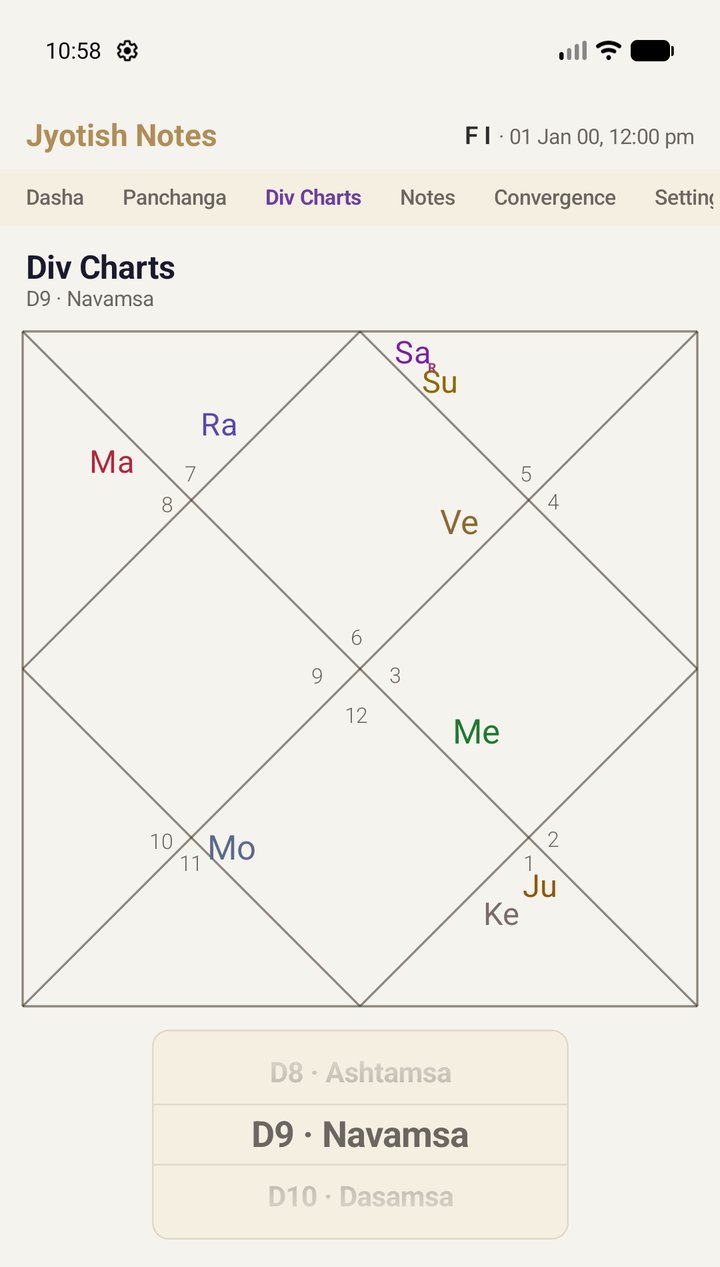
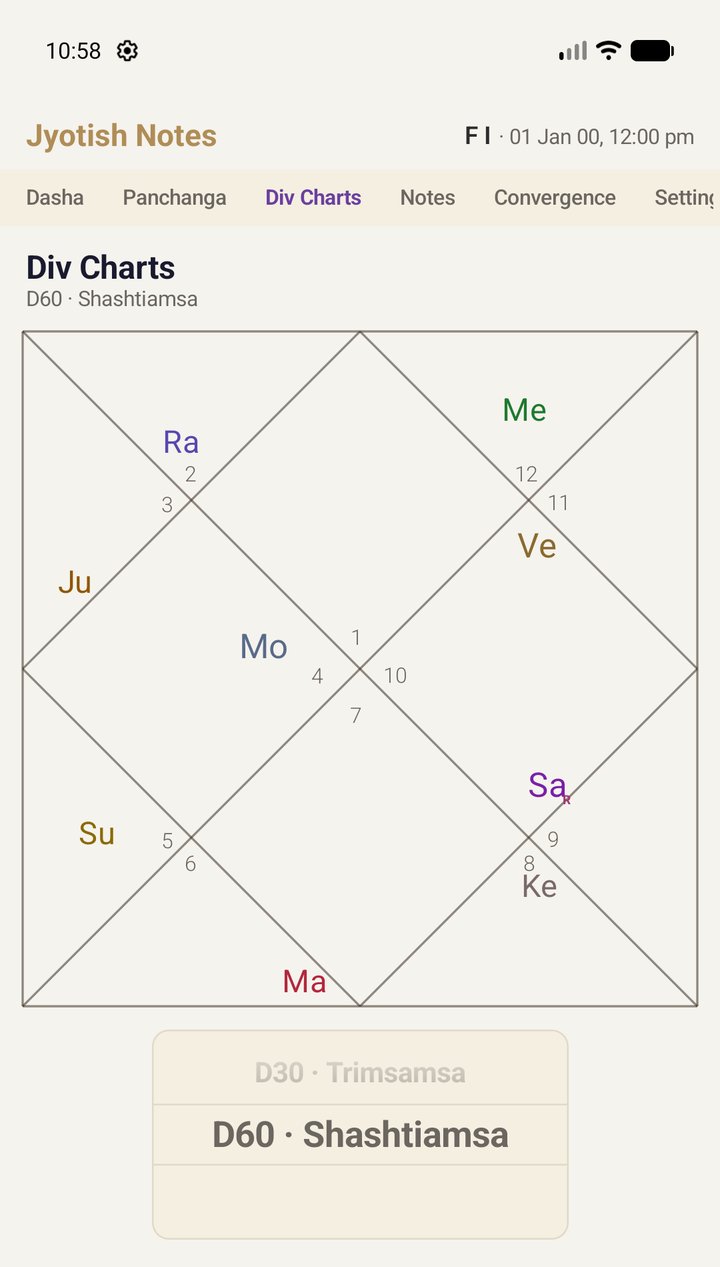
The sixteen on the wheel, after Moon Rashi:
| Varga | Name | Varga | Name |
|---|---|---|---|
| D3 | Drekkana | D11 | Rudramsa |
| D4 | Chaturthamsa | D12 | Dwadasamsa |
| D5 | Panchamsa | D16 | Shodasamsa |
| D6 | Shashthamsa | D20 | Vimsamsa |
| D7 | Saptamsa | D24 | Siddhamsa |
| D8 | Ashtamsa | D27 | Nakshatramsa |
| D9 | Navamsa | D30 | Trimsamsa |
| D10 | Dasamsa | D60 | Shashtiamsa |
On the Lagna tab: D9 → D10 → D3
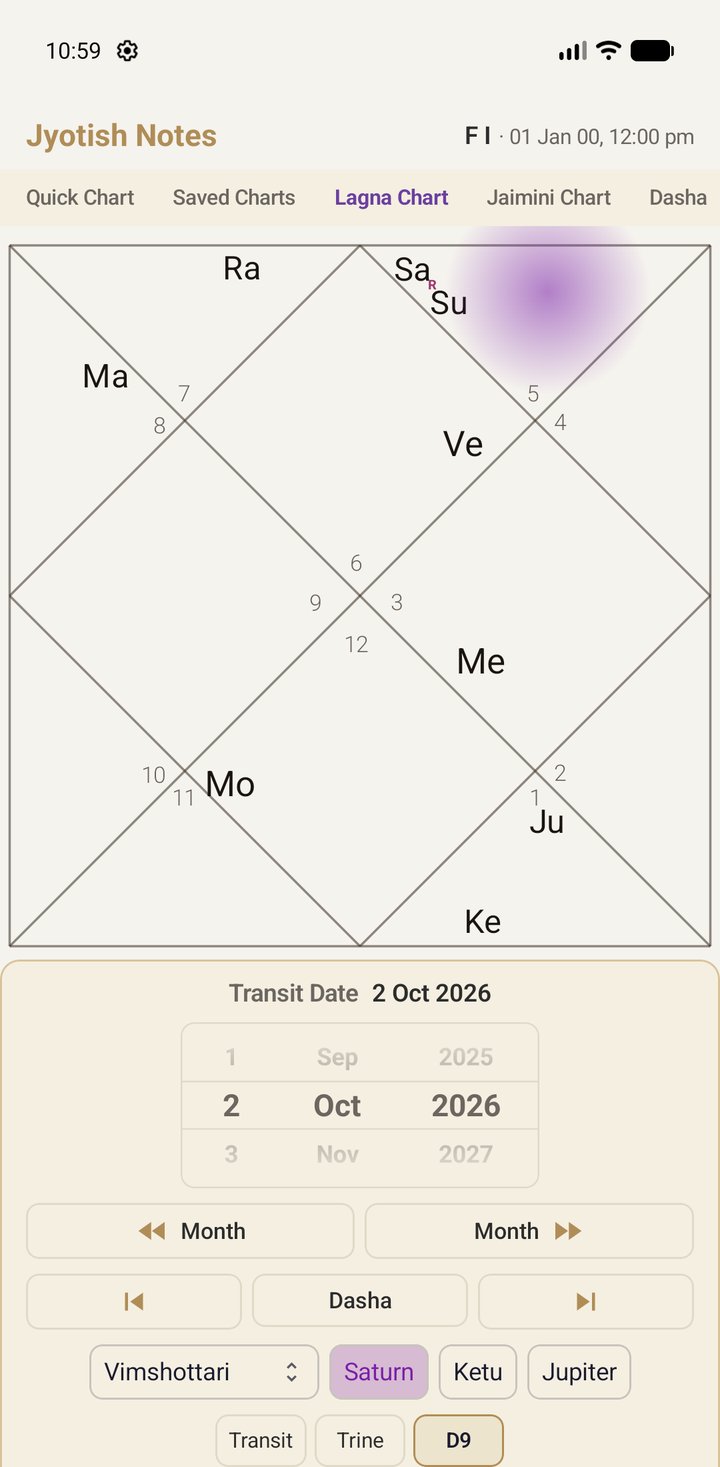
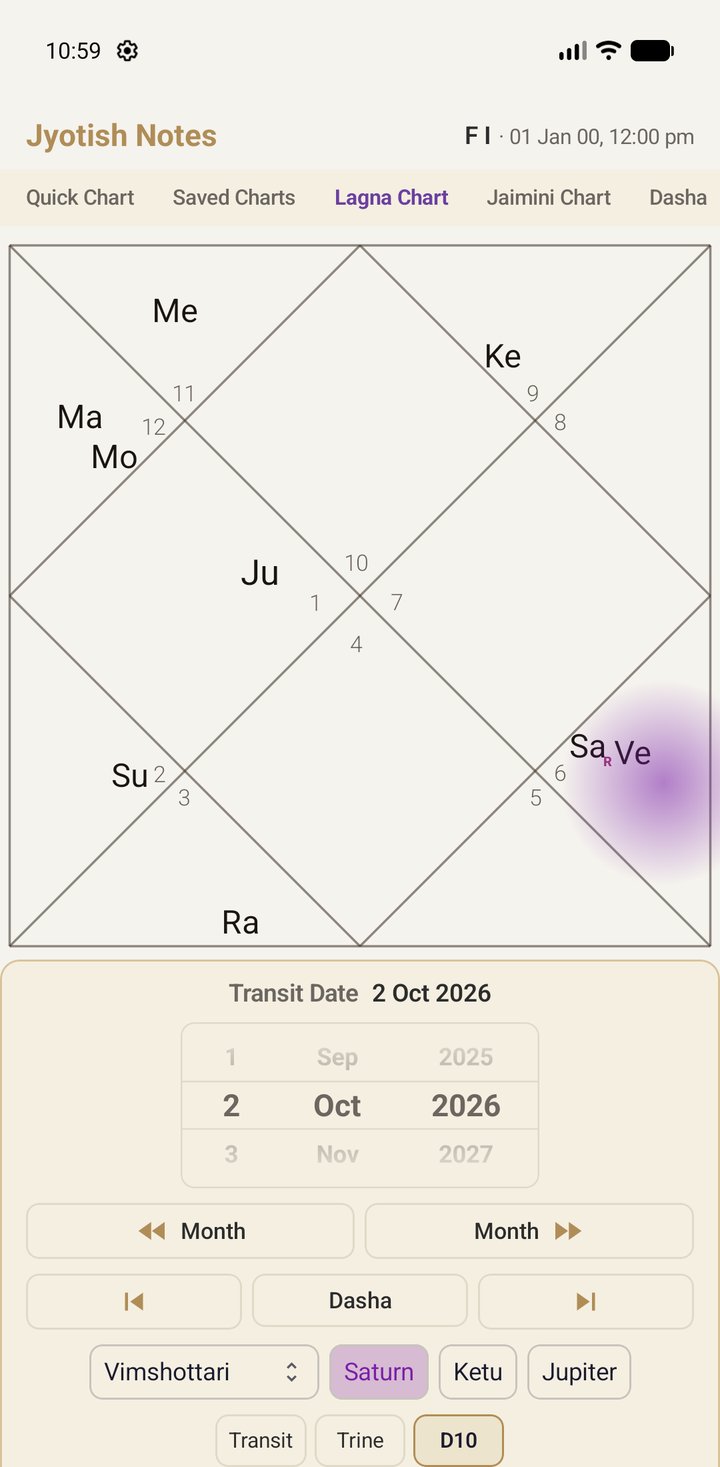
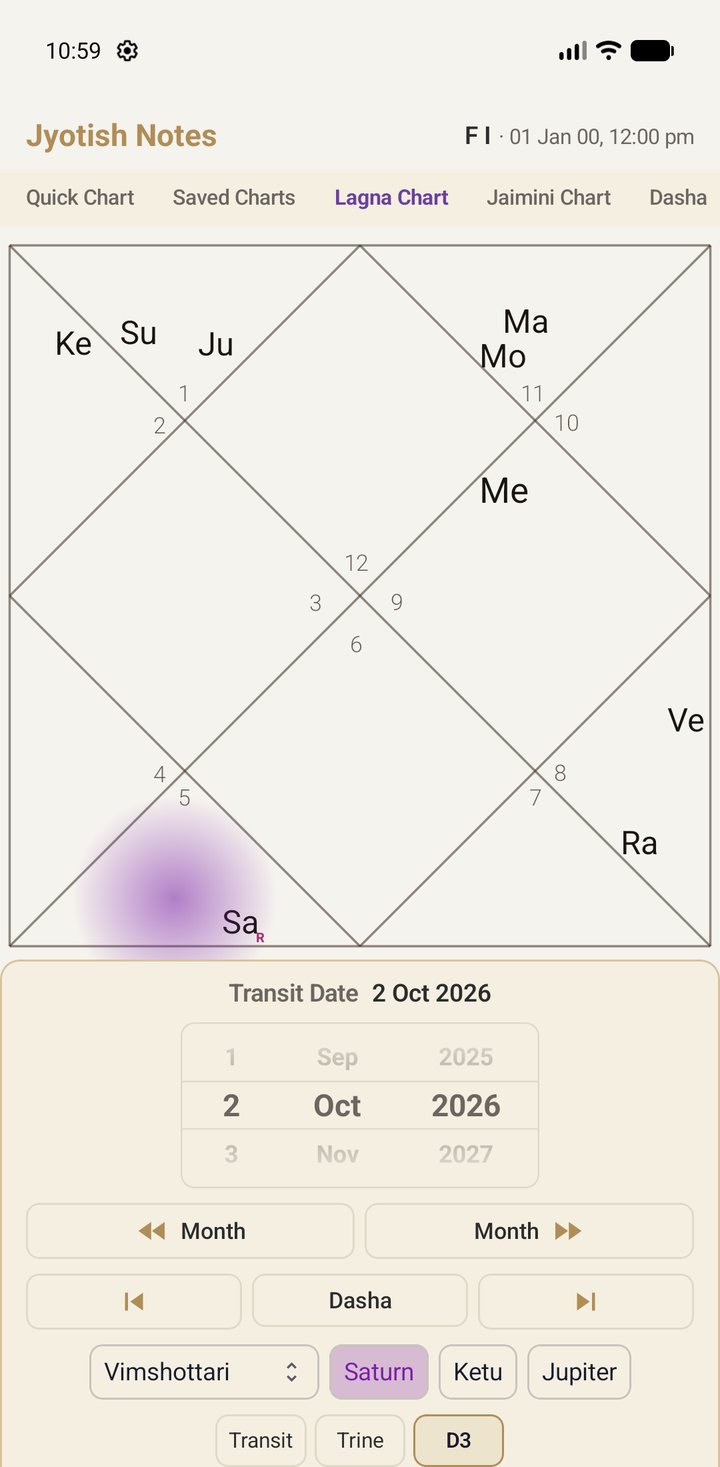
The D9 button under the Lagna chart shows the navāṁśa in place of the rāśi chart. In 1.5, tap it again for the daśāṁśa (D10), and once more for the drekkāṇa (D3). The button names the chart you are looking at. A fourth tap returns to the rāśi chart, and so does leaving it alone for a few seconds.
Daśā highlights come along. Turn on a daśā lord, here Saturn as the mahādaśā lord, and its highlight follows the lord into each varga.
On iPhone and iPad
iOS 1.5 (coming soon) has the same sixteen vargas on the Div Charts tab, with the Moon chart at the head of the list, and the same D9 → D10 → D3 button on the Lagna tab. The screenshots here are from Android.
The screenshots use the built-in sample chart Famous Influencer.